
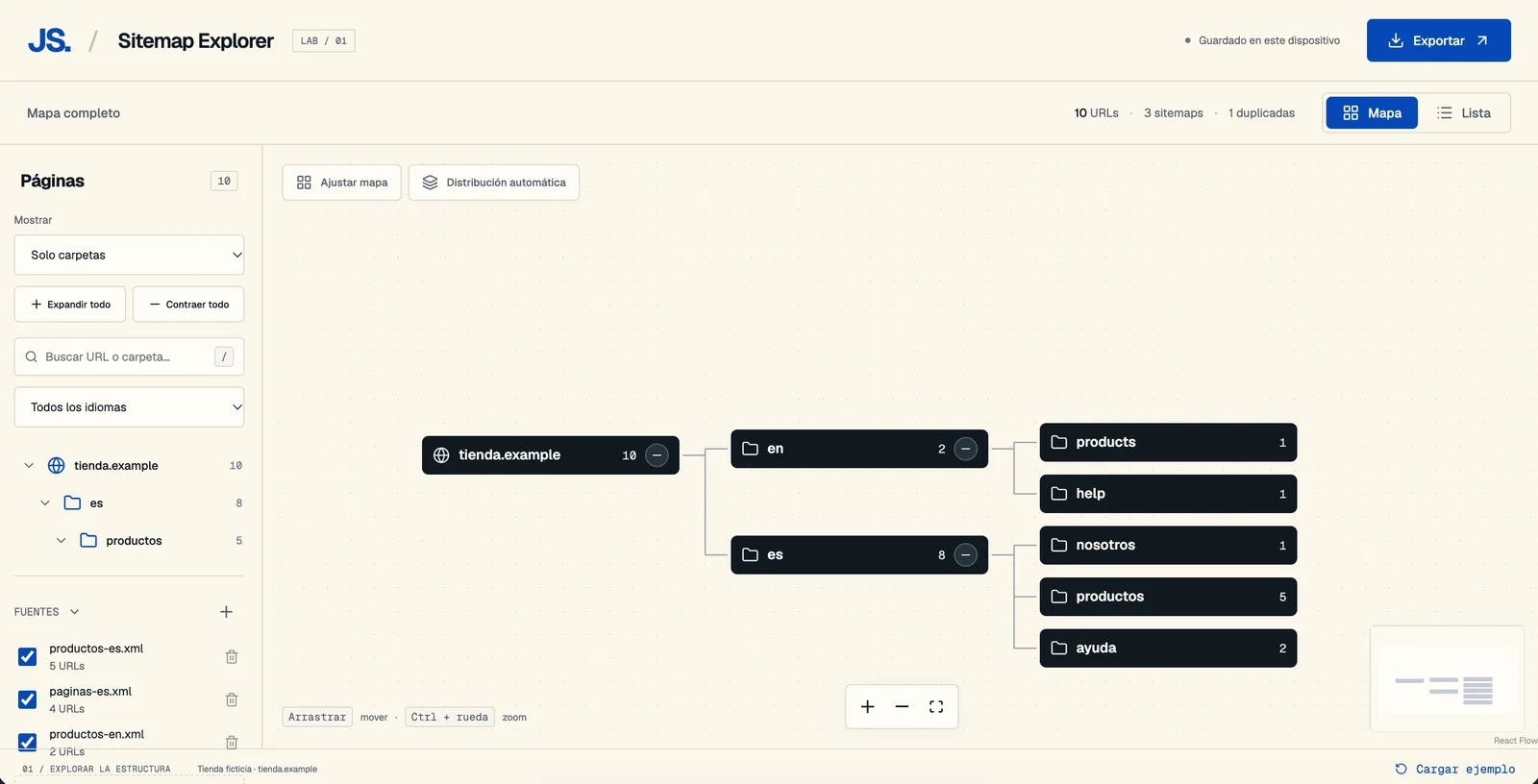
A sitemap lets you look up a website’s URLs, but understanding its structure from an XML file can be impractical. When hundreds of pages are spread across categories, languages, and several files, a list of links falls short.
To make this easier, I built Sitemap Explorer, a tool that turns sitemaps and URL lists into a visual structure you can explore, filter, and export.
From a URL list to a navigable structure
Sitemap Explorer organises addresses by their paths and displays them as a tree of folders and pages. You can browse a website’s sections, expand branches, and focus on the part you need to review.
For example, if a shop has pages under /es/productos/ and /en/products/, you can explore each section separately and see how many URLs each branch contains.
The tool distinguishes actual pages from folders inferred from paths. This helps you interpret the map: a folder grouping several URLs does not necessarily correspond to an existing page.
Import your data in different ways
Start by entering a public sitemap URL, selecting files, or pasting content directly. The tool accepts XML, Markdown tables, and URL lists.
You can combine several sources in one project and enable or disable each one to adjust your exploration. If a URL appears in multiple sources, it is merged while preserving its provenance, so you can check where it came from without seeing duplicates on the map.
Explore the whole site or focus on a section
Switch between map and list views, search for a URL or folder, and filter by language. You can also display folders alone for a simpler view of the structure.
Select an item to see its available details in the inspector: path, depth, source, and, when included in the sitemap, modification date and priority.
This lets you move from an overview to a specific review: locate a category, explore its pages, and inspect their details in the same space.
Export what you need to share
A visual structure is especially useful when you can bring it into your work. Sitemap Explorer can export the full project, a selected branch, filtered results, or the current visualisation.
Available formats include SVG and PNG for sharing the map as an image, and CSV, JSON, and XML for further work with the data, depending on the content selected.
Prepare an overview for a meeting or extract a specific section to review with your team.
A tool for reviewing your website architecture
Sitemap Explorer can be a starting point for a content inventory, reviewing how URLs are distributed across sections, or preparing a discussion about a migration or redesign.
The map represents the structure of imported paths. To analyse how pages actually link to one another, you need to complement this information with an internal linking review.
Files and pasted text are processed locally, and the project is saved in your browser. When you import from a URL, the server downloads the public sitemap to bring it into the tool.
Try Sitemap Explorer
To see your website structure more clearly, import your sitemap or load the included example to explore its features.