A CHROME EXTENSION
Copy, organize
and open tickets.
Fewer steps between Jira and the rest of your work. Copy in your format, collect your tickets and prepare your next update.
Under review in Chrome Web Store
jira.example.com/browse/ID-123
Improve form navigation
Your ticket, one shortcut away.
FROM TICKET TO YOUR NEXT TASK
Small tools.
Less repetitive work.
For the things you do every day: share a link, collect pending tasks or update your team on progress.
Know the ID?
You’re already there.
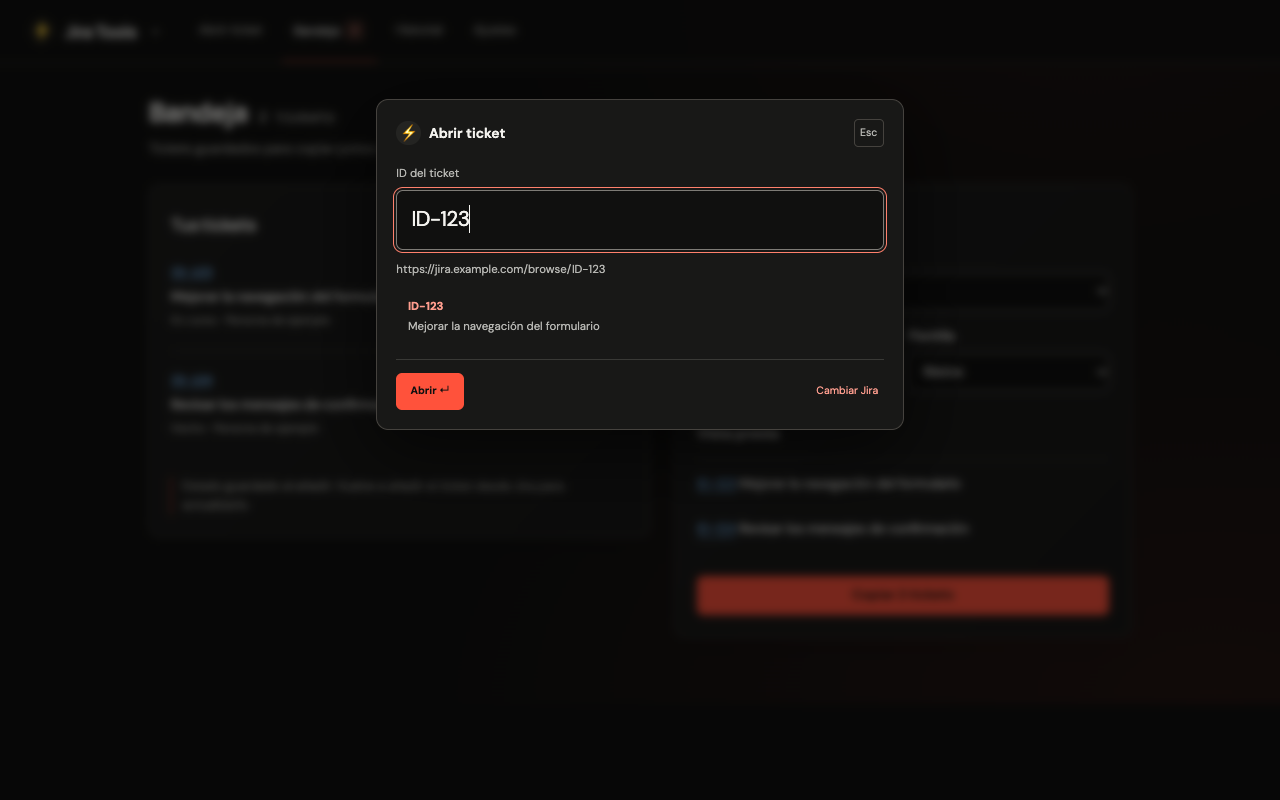
Open search over your current page, type the ID and press Enter. The ticket opens in a new tab using your configured Jira domain.
Or from Chrome’s address bar: jira + Tab + ID.
Copy once.
Paste it your way.
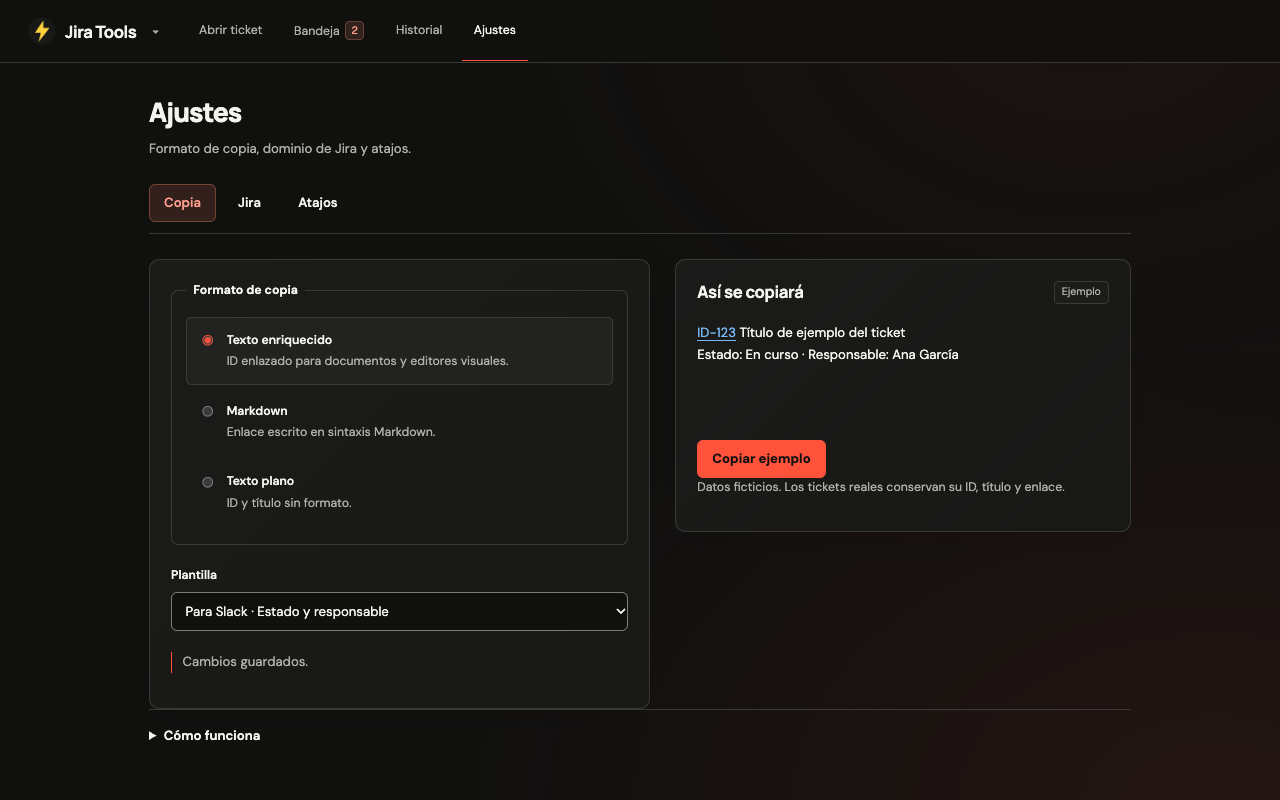
Rich text for documents, Markdown for your notes or plain text. Choose a template for Slack or documentation, or create your own.
Keep the ID, title and link. Include status and assignee when you need them.
Your next standup,
with tickets in order.
Collect tickets in a tray, copy them together or group them by status. Check the preview and take your update to wherever your team works.
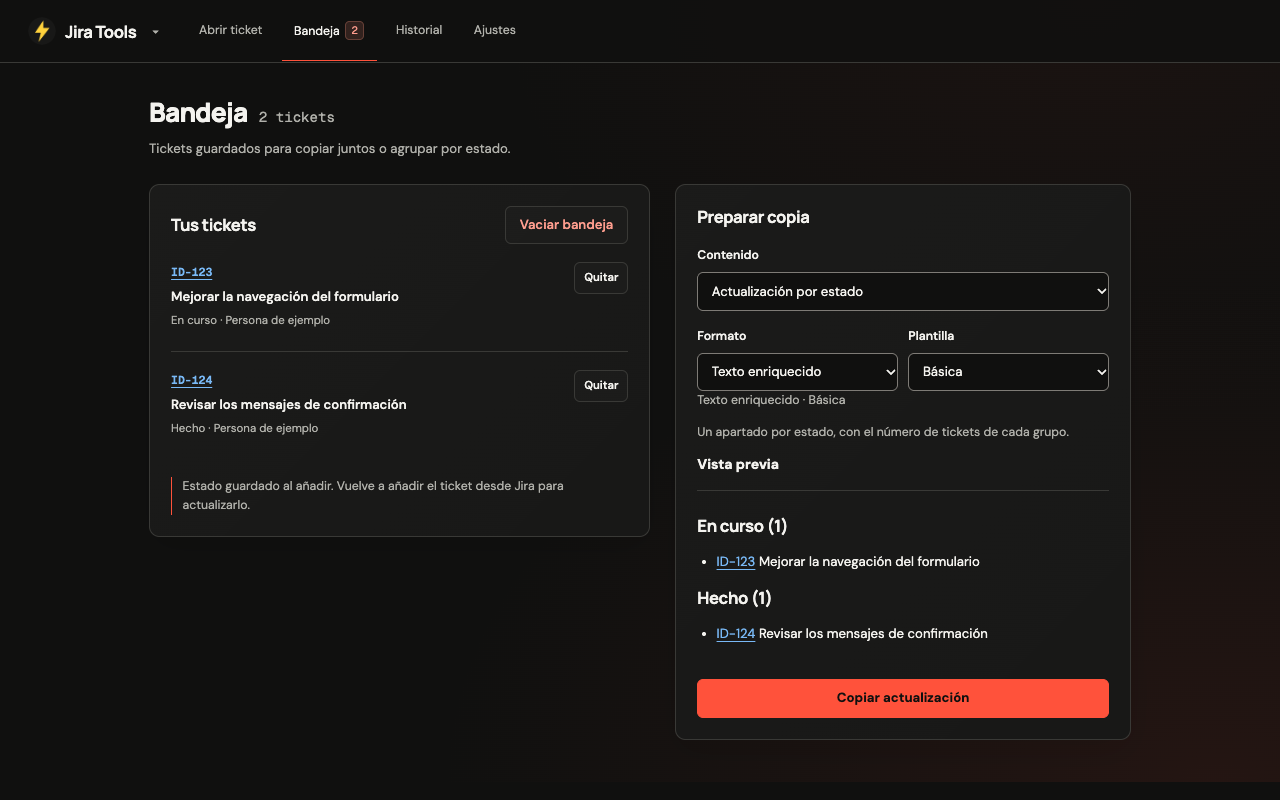
Data is saved when you add a ticket. Add it again from Jira to refresh it.
That ticket you copied.
Still here.
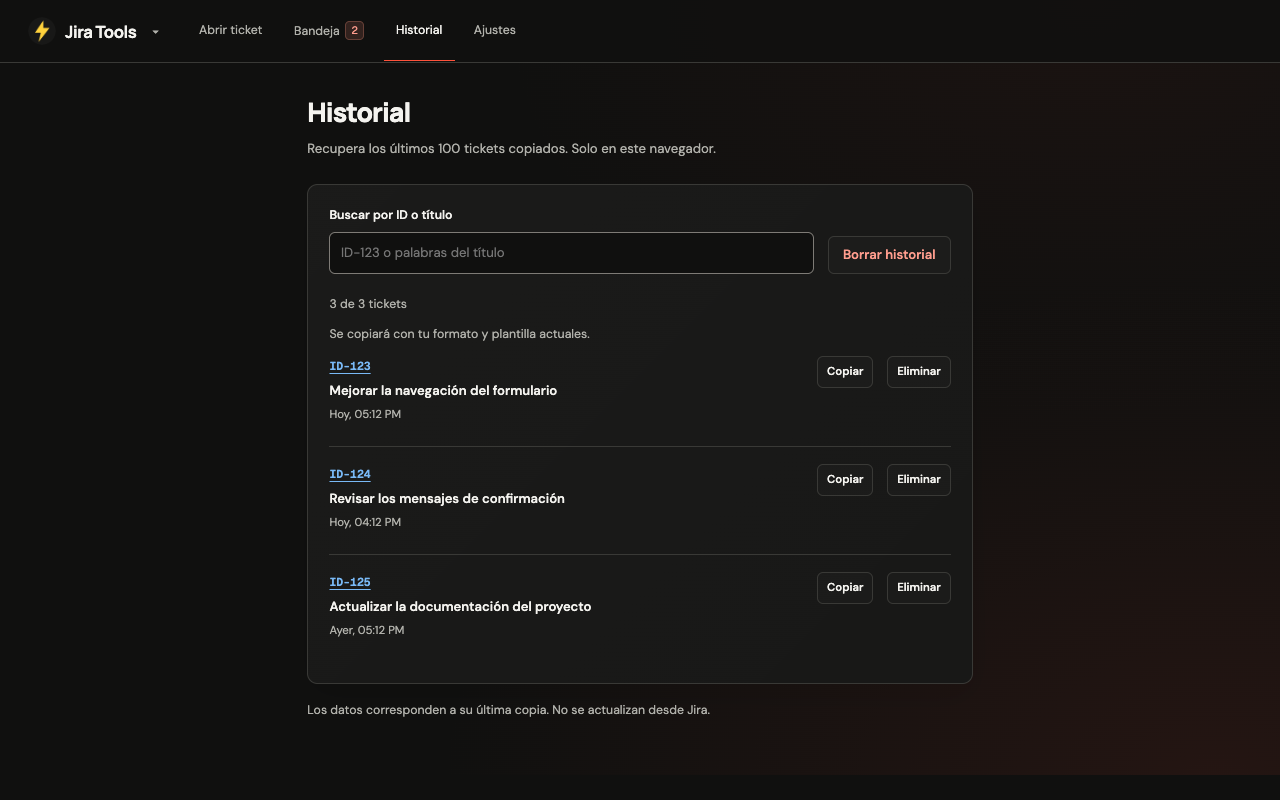
Find your last 100 copied tickets. Search by ID or title and copy them again using your current format and template.
History stays in your browser. Delete a single ticket or clear it all whenever you want.
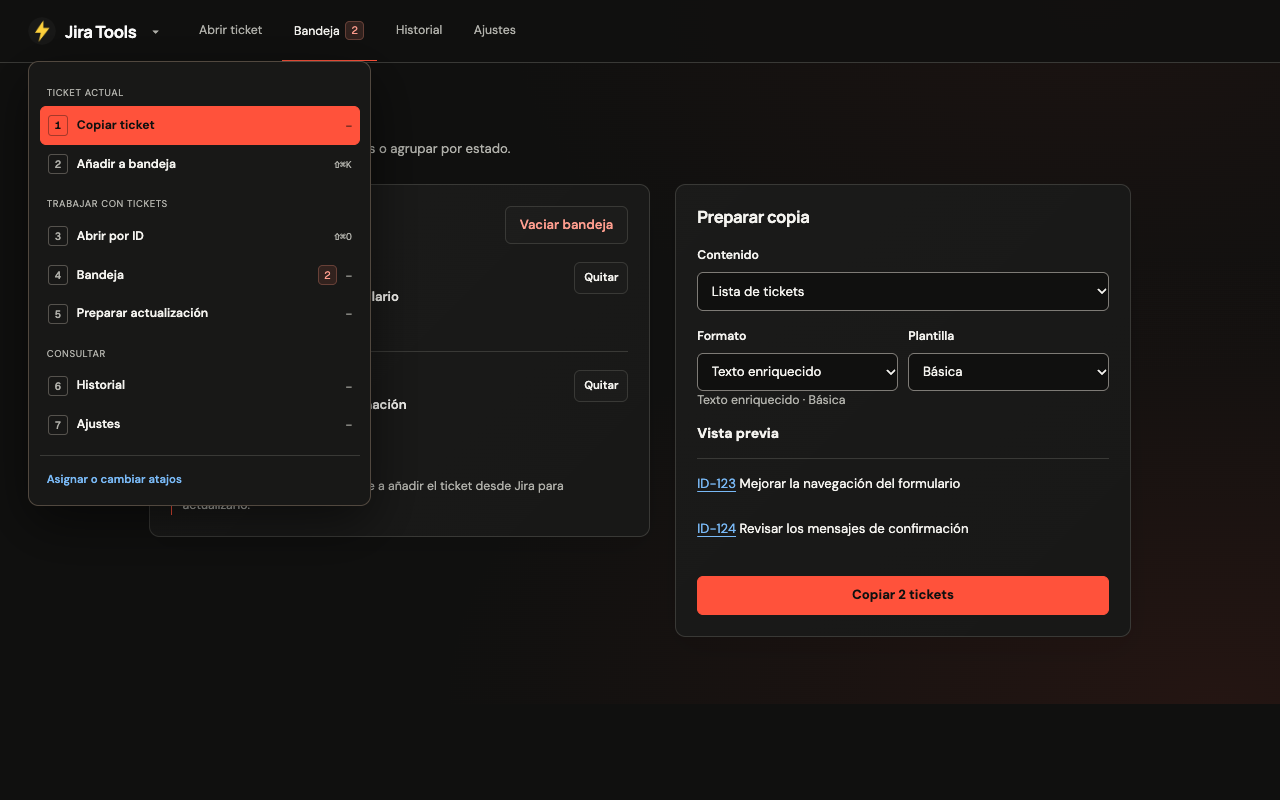
One lightning bolt.
Seven actions.
Copy, add to the tray, open by ID or prepare an update from one menu. With the menu open, keys 1 through 7 take you to each action.
See the shortcutsYOUR TICKETS, IN YOUR BROWSER
Local by design.
Your tray, history, templates and preferences are stored in your browser. The extension does not send this data to developer servers, include analytics or advertising, or modify your Jira tickets.
Read the privacy policyBEFORE YOU START
A few answers.
Where can I install Jira Tools?
The extension is under review in Chrome Web Store. The installation link will be available here once it is published.
How do I set up my Jira?
In the extension, open Settings → Jira and save your instance’s domain. Spotlight uses it to build the ticket link. Opening by ID does not check whether the ticket exists.
Which shortcuts can I use?
On Mac: ⌘⇧J to copy, ⌘⇧K to add to the tray, ⌘⇧O for Spotlight and ⌘⇧Y for the menu. On Windows and Linux, use Alt+Shift instead of ⌘⇧.
These are suggested shortcuts. If one is already in use, change it at chrome://extensions/shortcuts. Settings → Shortcuts shows the combinations actually assigned.
Do tickets update in the background?
No. The tray and history store a snapshot of the data. Add the ticket again from Jira to refresh it. Jira Tools does not use the Jira API or modify tickets.
Does it work on any page?
Spotlight opens over your current page. On internal Chrome pages or protected sites, it uses the extension popup or a compact window. Reading tickets depends on your Jira instance’s page structure.

Your work already has
enough tabs.
Shorten the path between a ticket and what comes next.
Under review in Chrome Web Store